Board reports your board can read before the meeting
One report for any quarter, or any month if you bill monthly: what was billed and collected, who is behind and by how much, and how much water went out. Download it as a PDF packet, or email it to the board.
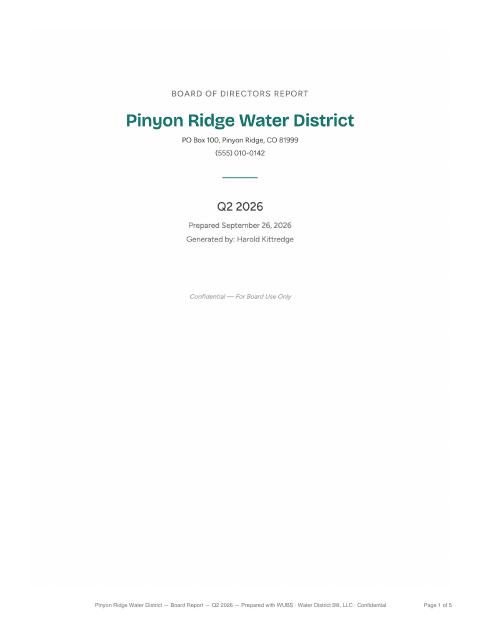
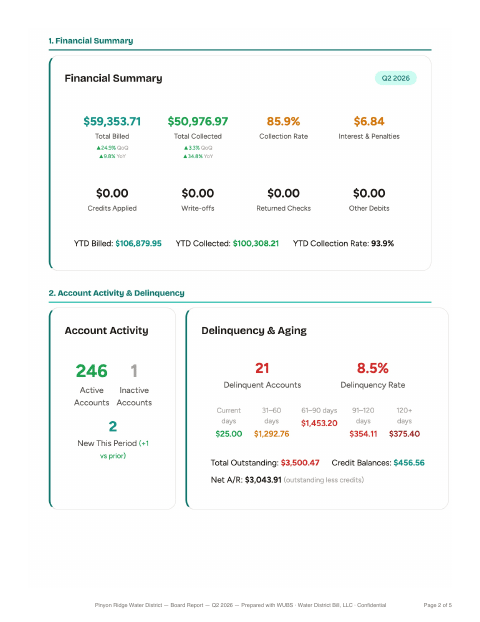
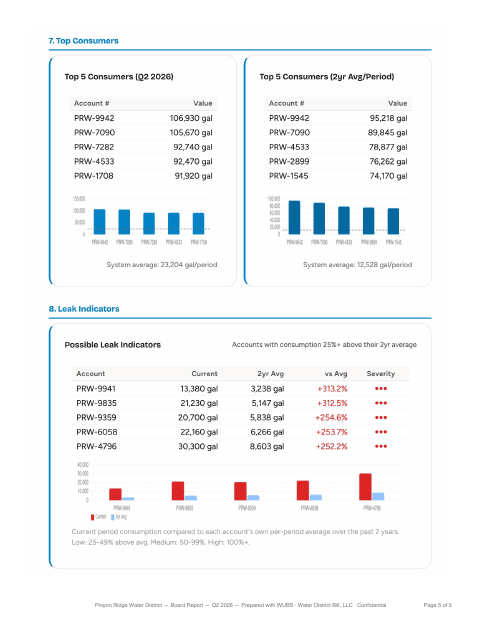
What’s in the report
In the order it appears in the packet, after a cover page. Watch lists show account numbers only, never customer names.
- Financial summary. Total billed, total collected, collection rate, interest and penalties, credits, write-offs and returned checks, with year to date and comparisons to the prior period and the same period last year.
- Account activity. Active and inactive accounts, and new accounts opened in the period.
- Delinquency and aging. Delinquent accounts and the delinquency rate, balances from current to over 120 days, total outstanding, credit balances and net receivables.
- Top outstanding balances. The five largest, with days outstanding and the last payment.
- New and escalating delinquencies. Accounts newly behind, or owing more than last period.
- Water usage. Total consumption, readings and average per reading, with an 8-quarter or 12-month trend.
- Top consumers, this period and on a 2-year average.
- Possible leak indicators. Accounts using 25% or more above their own 2-year average.
Board member login
Add each board member as a user with the Board Member role. They sign in, choose the period and see the board report. That’s the only page they can open. They can’t see customer records or change anything.
They can download the packet themselves, or office staff can email it to every board member in one step, with others such as your auditor copied in.
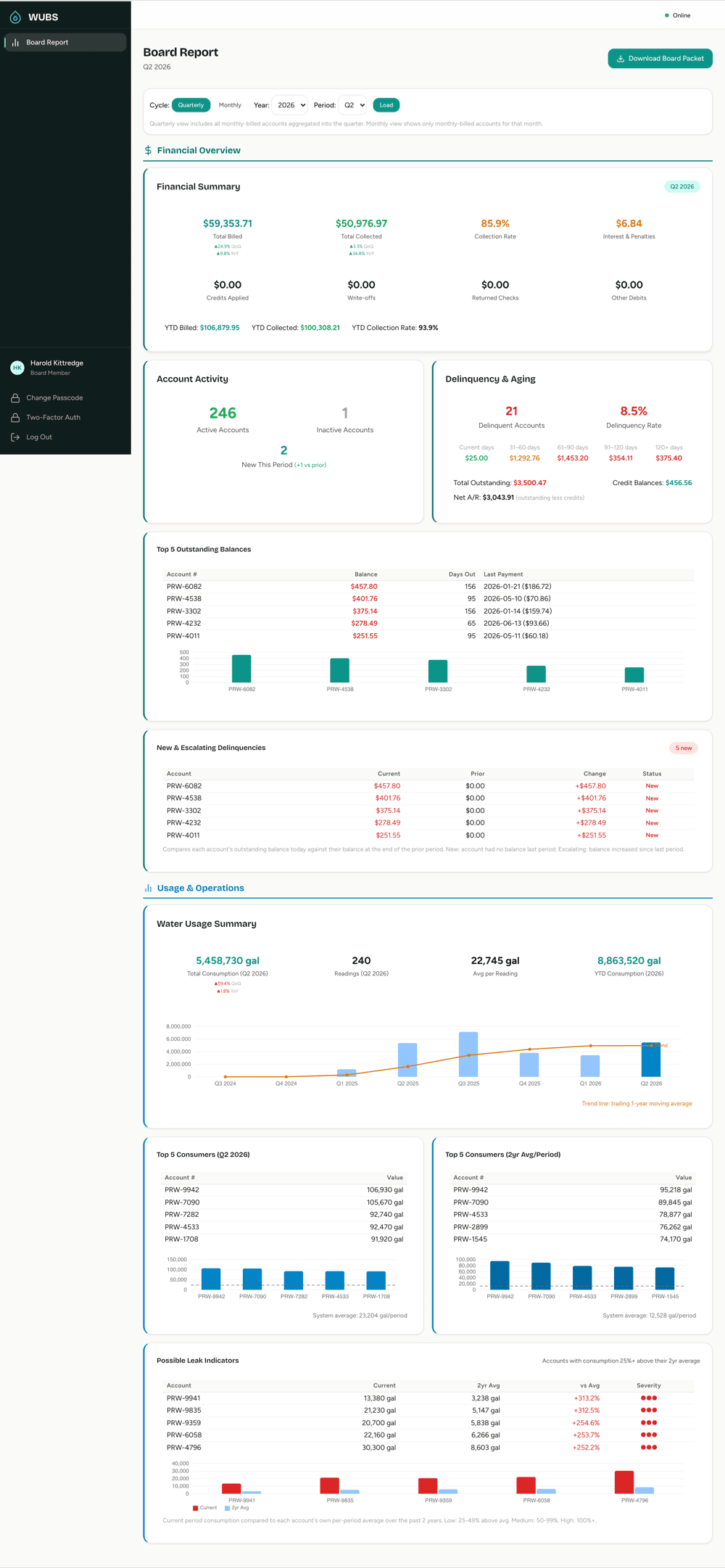
Any quarter, or any month
Choose the year and quarter, and the report fills in. Districts with monthly-billed accounts can also switch to a monthly view. Quarterly figures include monthly-billed accounts added up into the quarter, and annual bills count in the fourth quarter of the year they cover.
The numbers come from the same utility billing ledger the office works from, where every payment goes to the oldest charges first. There’s no separate spreadsheet to keep in step.
Journal Entry Summary and Deposit Summary for the treasurer
Two reports sit alongside the board report for whoever keeps the books. Office staff run them from Reports and pass them on.
The Journal Entry Summary is the month’s double-entry journal: billed revenue, collections, adjustments, write-offs and returned checks, with an accounts-receivable reconciliation and a CSV export you can import into QuickBooks Online. See how WUBS works with QuickBooks.
The Deposit Summary groups payments by date and method, with card processing fees and the net deposit, for matching to bank statements.
Staff also have Revenue Summary, Consumption, Aging and Collection reports for looking back across months and years.
Board report questions
Can board members see customer names or account details?
A Board Member login opens the board report and nothing else, read-only. The report’s watch lists show account numbers only, not customer names.
Can we email the board packet?
Yes. Office staff click Email Board Packet and every board member gets the PDF. You can add other addresses, such as your auditor or counsel, and the list is saved for next time.
What does “Interest & Penalties” include?
The interest charged on past-due balances in the period, plus any late fees if your district charges them.
See a board report from a demo district
We’ll open a quarter’s packet and go through it page by page.