Online bill pay and a customer portal for your water customers
Customers see their bills, balance and usage from any device, and pay by card or bank account. The money goes to your district’s own account with a secure payment processor (the same kind of company that handles card payments for most businesses), and the payment shows up on their account in WUBS.
WUBS never stores card or bank account numbers.
Where the money goes
Straight to your district. Each district has a separate account with the payment processor, so there’s no pooled account in between.
Your customer pays
On your district’s secure payment page, by credit or debit card or from a bank account (ACH).
Your district’s own payment account
The payment processor handles the payment and deposits it to your district’s bank account. Card and bank numbers stay with the payment processor.
WUBS records it
The payment appears on the customer’s account, applied to the oldest charges first. The customer ledger shows exactly where every penny went.
You choose who pays the processing fee: the district, the customer as a separate convenience fee shown before they pay, or a fixed fee that splits the cost. Bank payments can take 4–5 business days to settle.
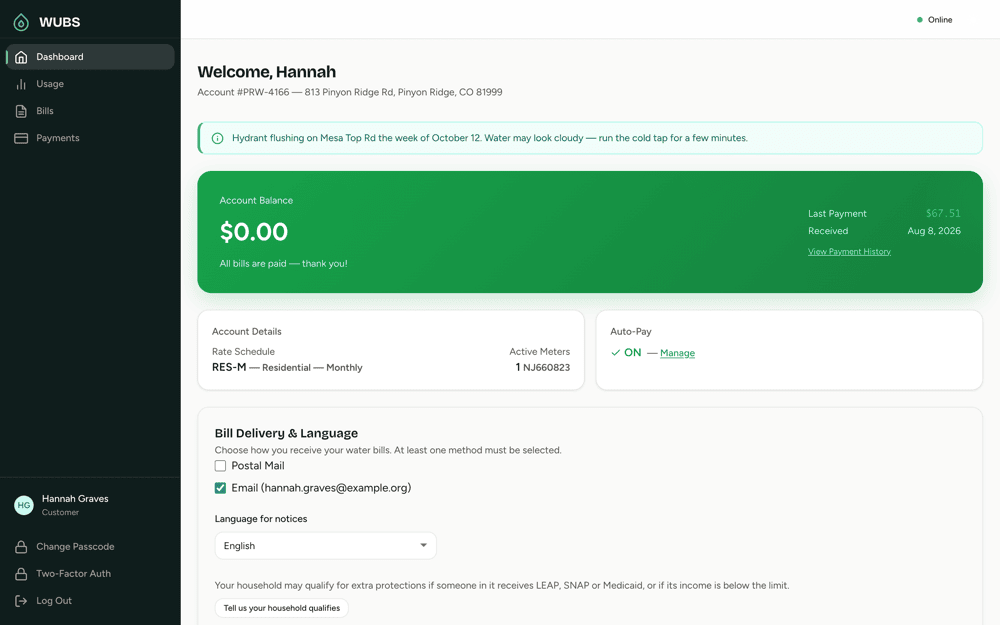
What customers see in the portal
Customers set up their own portal account online, and sign-up checks details from a recent bill before the account is created. Or they can contact the district office, which can send them an email invitation to set it up. A forgotten passcode is reset by email.
- Their balance, and the date to pay by to avoid a late fee or interest
- Current and past bills as PDFs, and any past-due notices sent to them
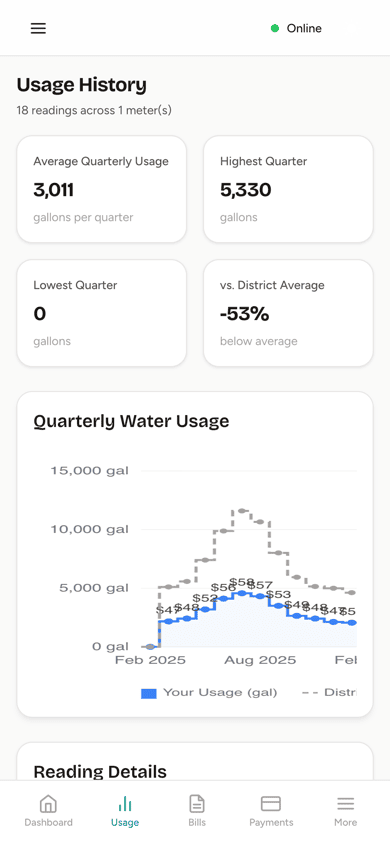
- Usage history for up to 24 periods, compared with the district average
- Two years of payment history
- Bills by mail, by email or both, and the language for notices
- Your district’s announcements, like hydrant flushing or an office closure
- Two-step sign-in, when your district turns it on
Auto-pay
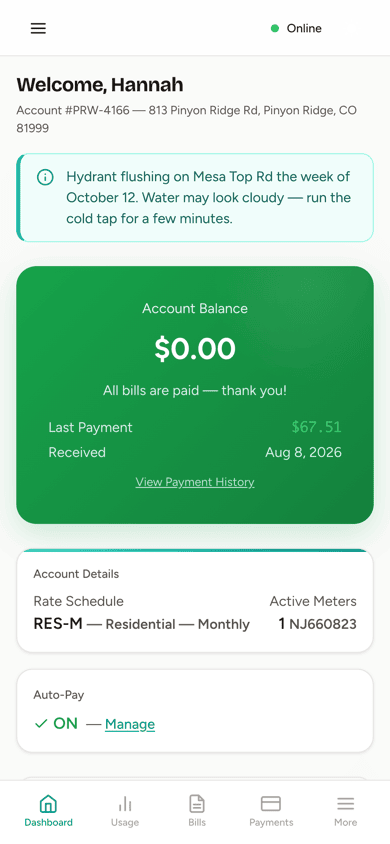
Customers turn on auto-pay in the portal and save a card or bank account with the payment processor. After bills go out, the office runs auto-pay with one button, and each enrolled customer is charged what they owe. Customers who owe nothing aren’t charged. A customer on a payment plan is charged only what the plan says is due now.
If a charge is still waiting on the payment processor, WUBS checks its status before trying again, so no one is charged twice. A declined charge shows on the account’s ledger with the reason.
To encourage the switch, your district can give an optional Auto-Pay Credit on each bill and print a message on the bills of customers who haven’t enrolled. Every customer on auto-pay and email bills is one less check to process and one less bill to mail.
Email bills, paper bills and customers who mail checks
Customers choose how they get their bills: by mail, by email, or both. Email customers get a message when a new bill is ready, and paper bills print in batches at the office.
Customers who prefer checks keep paying the way they always have. The portal’s Mail a Check option shows who to make the check out to, where to send it, and the account number for the memo line. Staff record checks, cash and other payments at the office, with no convenience fee, and every payment goes to the oldest charges first.
Online payment questions
Does WUBS store customers’ card or bank account numbers?
No. Customers enter card and bank details on a secure payment page run by the payment processor. WUBS keeps only what it needs to show the payment, such as the last four digits of a saved card.
Who pays the card processing fees?
Your district decides: absorb the fees, add a convenience fee for the customer, or charge a fixed fee and share the cost. Auto-pay charges and payments made at the office never carry a convenience fee.
Can a customer pay part of a bill?
Yes. Customers can pay their whole balance, chosen bills, or any amount. A partial payment goes to the oldest charges first, and anything extra is held as credit toward the next bill.
Does our district need its own payment processor account?
Yes. Each district has its own account with the payment processor, so payments are deposited to the district’s bank account, not ours. We walk you through setting it up and connecting it to WUBS.
Related
See the customer portal in a demo
We’ll show you what your customers would see, and how a payment reaches your district and its ledger.